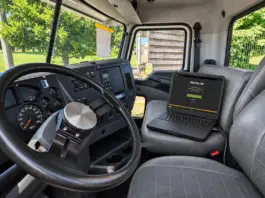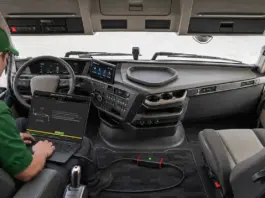
Remote ECM programming can keep a truck out of the shop and cut downtime. That said, the session only works if a few things are solid: the truck itself, the communication adapter, the computer, and a decent internet connection.
A bit of prep before the appointment goes a long way toward avoiding delays, dropped connections, or having to rebook. Here’s what truck owners, fleet managers, and shops should look at before working with a remote programming provider.
Why Bother Preparing?
A remote programming job needs a steady link between the tech, the computer, and the truck’s electronic control system. If any piece of that chain falls apart, the work stops until it’s fixed.
Time spent dealing with a weak internet connection, the wrong adapter, or a laptop that isn’t ready adds up quickly. When delays happen, as they often do with trucks, it can become a domino effect to miss deliveries and schedule commitments.
The idea is simple: have the right info and gear ready before the session starts instead of scrambling to fix basic setup problems while the tech is waiting.
Know Your Truck Before You Call
Before you reach out to a remote programming provider, pull together the basics that identify the vehicle and its electronics.
Have these ready:
- VIN – Identifies the truck and helps determine its make, model, year, engine, and ECM configuration.
- Engine model – Same model year trucks can run different engines and ECM setups.
- ECM details if you have them – Сontroller type, part number, or software ID can help clear up compatibility.
- Why you’re programming – Software update, calibration change, VIN programming, ECM adaptation, or something else.
- Recent work – Any ECM swaps, previous programming attempts, or other changes that might matter.
You don’t need to be an expert on every detail. If you’re not sure which ECM is in the truck, just tell the technician what you know and ask what else they need before you book.
Also keep in mind: remote programming isn’t a fix for mechanical problems. It won’t help with a bad sensor, damaged wiring, fuel system issues, or other underlying electrical or mechanical faults.
Check the Internet, Computer, and Power
Remote programming needs more than just a laptop and Wi-Fi. The whole communication chain has to stay stable for the entire session.
Internet
Use a solid broadband connection if you can. Test both upload and download speeds. Skip weak mobile hotspots or crowded public Wi-Fi. Pause big downloads, cloud backups, or anything else that hogs bandwidth.
Some platforms have specific requirements. DrunkLab’s remote Cummins setup, for example, calls for 50 Mbps upload and download. Check the current requirements for the service you’re using before the appointment.
Computer
Make sure the laptop runs a supported operating system and has the needed software installed. Have admin access if it’s required, and plug the laptop into power.
Turn off automatic sleep mode for the session and close extra programs. Don’t install updates or restart the computer right before the appointment.
Truck power
The truck’s electrical system needs to be in good shape. A weak battery or unstable voltage can drop the connection and cause problems during programming.
If you already know there’s a battery or power issue, take care of it before booking.
Follow the provider’s instructions on ignition state and vehicle prep. Don’t disconnect batteries or mess with electrical connections unless a qualified tech tells you to.
Communication adapter
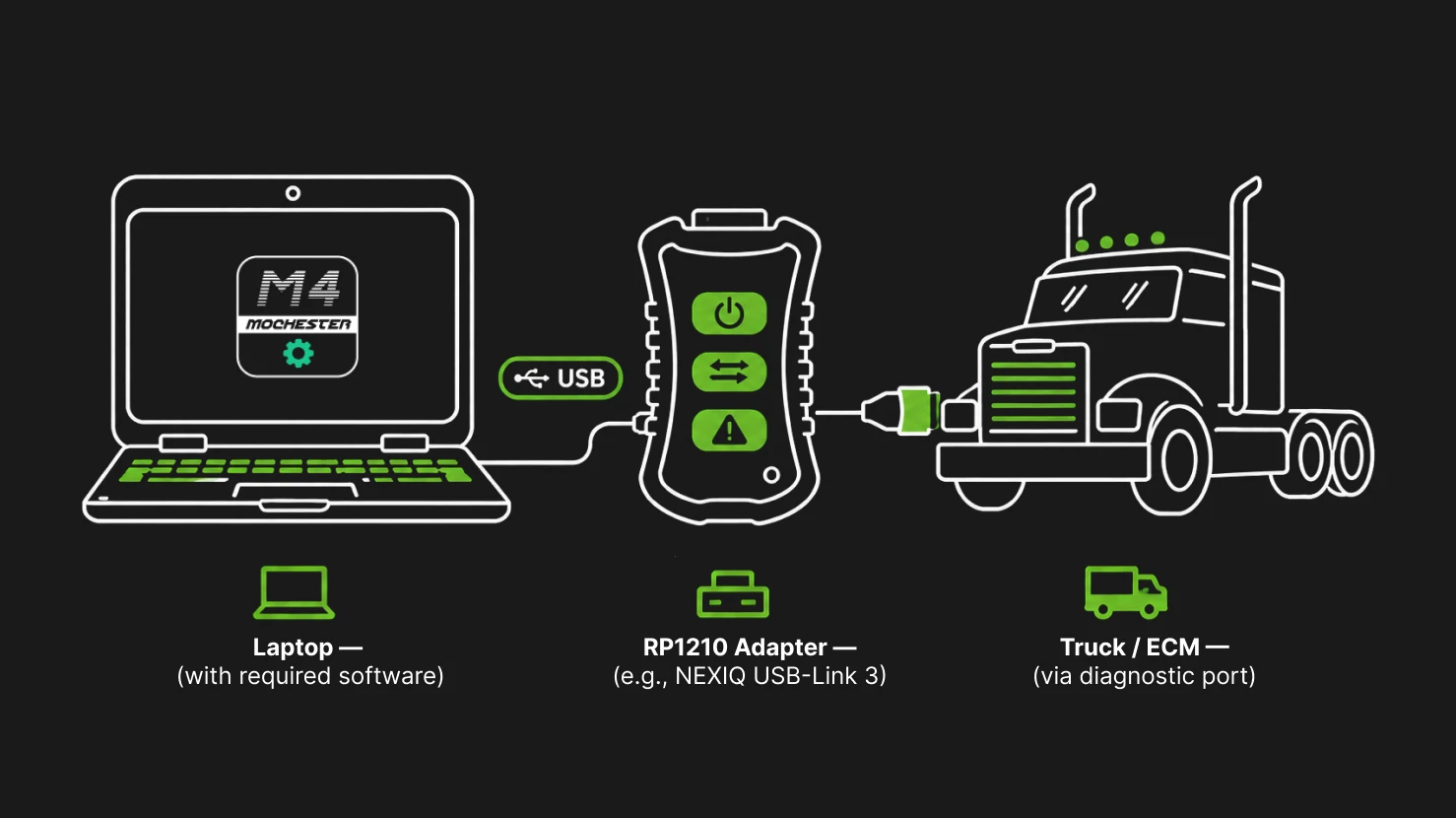
Confirm you’ve got the right adapter for the truck and the job. The provider should check compatibility ahead of time, including any drivers or connection software needed.
Just because the adapter plugs into the diagnostic port doesn’t mean it can handle the programming work.
Common Problems That Slow Things Down
A lot of delays come from basic prep issues, not the actual programming.
| Problem | What to do beforehand |
| Wrong or unsupported adapter | Confirm compatibility with the provider. |
| Unstable internet | Test the connection and switch to a more solid network if you need to. |
| Laptop battery running low | Plug the computer into external power. |
| Unsupported software or operating system | Check the platform requirements before you book. |
| Incorrect vehicle or ECM information | Get the VIN and any controller details you can find. |
| Existing electrical or communication faults | Let them know before the session so the provider can check readiness. |
| Another application using the adapter | Close any conflicting software and follow the provider’s setup steps. |
If the computer can’t talk to the ECM, the issue could be the adapter, drivers, vehicle power, wiring, or the electronic system itself. Don’t assume every connection problem is just a software issue and start programming anyway.
Giving accurate information early helps the tech figure out whether the session can go ahead or if the truck needs attention first.
How to Keep Downtime Low
This matters even more for commercial trucks that need to get back on the road quickly.
A few practical steps help the appointment run smoother:
- Work the schedule around when the truck’s free. Double-check that both the truck and whoever’s running the computer and adapter are actually available at the time you pick.
- Get everything ready ahead of time. Install whatever software you need, make sure the adapter’s working, and test the internet connection before the appointment starts.
- Keep the truck easy to get to. Park it somewhere safe where it can just sit without being moved or bothered for the whole session.
- Share the important details early. Send the VIN and explain what you need before the appointment instead of waiting for the tech to ask.
- Avoid interruptions. Don’t start other diagnostic or programming work while the remote session is running.
- Follow the tech’s instructions. Procedures vary by platform. Don’t change the ignition state, unplug anything, or interrupt the process unless you’re told to.
No checklist can guarantee a perfect session every time. But clearing up the avoidable setup problems first gives the technician a better shot at finishing the work in the planned window.
Prep Depends on the Truck Platform
Not every truck uses the same programming software, adapter, or remote access method. Requirements change with the manufacturer, engine, ECM, and the specific service.
DrunkLab, for example, handles remote programming for Cummins, Detroit Diesel, and PACCAR through TeamViewer sessions. Other supported applications run through the Mochester App.
For Cummins jobs, you’ll typically need a compatible RP1210 adapter, the right INSITE software, TeamViewer, and a supported Windows computer. Confirm software versions and other details with the support engineer before the appointment.
For the services that run through the Mochester App, you’ll use the Windows application and log in with your DrunkLab account. The exact adapter and setup depend on the truck and the service.
Don’t assume an adapter or software package that worked on one truck will work on another. Confirm the exact requirements for your application before buying equipment or scheduling the work.
What DrunkLab Recommends Before a Remote Session
Before you schedule remote ECM programming with DrunkLab, make sure you’ve got the VIN, the truck and engine details, and a clear idea of what needs to be done.
Double-check that the computer, communication adapter, software, and internet connection meet the requirements for your specific platform. If the truck already has known electrical, communication, or mechanical problems, bring those up before the appointment instead of assuming programming will take care of them.
You can look over the supported services and get in touch with the team on the DrunkLab website. Once the application and requirements are locked in, get the truck and equipment ready according to the instructions for your session.
Getting Ready for Your Session
Remote programming can be a practical way to avoid unnecessary trips and get specialized software work done without pulling the ECM. The best starting point is a correctly identified truck, compatible equipment, stable power and internet, and a clear idea of what the session is supposed to accomplish.