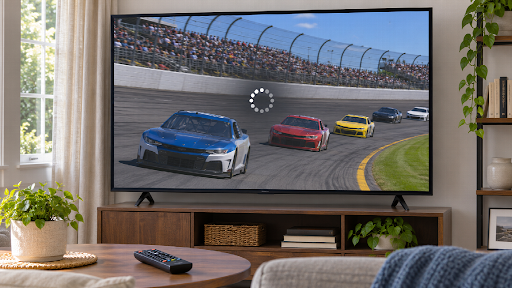
Gameplay clips are already designed to capture movement, timing, and dramatic moments. A close match, a difficult boss fight, or a perfectly timed move can become memorable content when edited well. Some creators are now taking those clips further by using AI to give them an anime-inspired visual treatment.
A gamer can use an ai anime video generator online to test a restyled version of a short clip, create a character-focused highlight, or produce a social video with a more illustrated look. The goal is not to hide the gameplay. It is to add a visual layer that makes the moment feel different and easier to share.
The best results come from choosing a clear clip, preserving the important action, and using a consistent style. AI can assist with the transformation, but editing decisions still determine whether the final video is exciting or confusing.
Why Anime Style Works for Gameplay
Games already contain visual systems such as characters, costumes, effects, environments, and user interfaces. Anime-inspired treatment can emphasize these elements and make a short clip feel more like a scene from a story.
Creators may use the style to highlight:
- a character entrance,
- a final move,
- a dramatic escape,
- a team victory,
- a boss encounter,
- a funny failure,
- a role-playing moment,
- a cinematic location.
The style can also help a creator build a recognizable channel identity. If similar colors, captions, and visual effects appear across several clips, viewers may begin to associate the look with the creator.
Select the Right Gameplay Moment
Not every gameplay clip is a good candidate for restyling. The source should contain a moment that viewers can understand quickly.
Strong candidates often include:
- one main action,
- a clear subject,
- readable movement,
- limited screen clutter,
- stable recording quality,
- a beginning and ending.
A short sequence showing a character dodging an attack may work better than a long match with several players and overlapping effects. A single victory moment can be easier to transform than a full round of gameplay.
Start with a short section. If the action becomes unstable during the transformation, try a simpler moment rather than processing the entire recording.
Keep the Action Understandable
The visual style should support gameplay, not cover up what happened. Viewers should still understand who moved, what action succeeded, and why the moment matters.
Check whether the restyled version preserves:
- character direction,
- attack or movement timing,
- major objects,
- important effects,
- the final result,
- the relationship between players.
If too many details change, use the AI version as an intro or transition and keep the original gameplay for the main action. This combination can provide style without sacrificing clarity.
Decide Whether to Keep the Interface
Gameplay recordings often include health bars, maps, ability icons, or chat messages. These elements can help explain the action, but they may also become distorted during AI restyling.
There are several options:
- keep the original interface,
- crop it out,
- blur it,
- add clean graphic overlays later,
- use a short restyled section without the interface.
If the user interface contains important information, keep a real version available. Generated text and icons may not remain accurate.
For a short social clip, a clean crop may work better than trying to transform every screen element.
Create a Character-Focused Edit
Some creators want the video to focus on an avatar or playable character. A character-focused edit can use a close crop, slow motion, a short introduction, and a dramatic visual change.
Before generating, identify:
- the character’s main colors,
- costume details,
- weapon or equipment,
- direction of movement,
- background mood.
Keep the character visible long enough for viewers to recognize it. If the camera moves too quickly or the character is hidden by effects, the restyled result may become difficult to follow.
Use Color to Match the Game
Choose colors that connect to the original game or the channel identity. A fiery game moment may work with red and orange accents. A futuristic environment may suit blue, violet, or neon tones.
A consistent palette can help several clips feel like part of one series. It also makes thumbnails, captions, and transitions easier to design.
Do not add color only because it looks dramatic. If every clip uses maximum saturation, the videos may become tiring to watch. Use brighter color for key moments and quieter tones for setup scenes.
Timing and Beat-Based Editing
Gameplay highlights often work well with music. Match cuts, zooms, and visual changes can follow the beat while leaving enough time for viewers to understand the action.
Mark important points such as:
- the start of the encounter,
- the moment before the move,
- the impact,
- the reaction,
- the result.
A short pause before the key action can create anticipation. A quick cut after the result can keep the video moving.
AI restyling may add visual changes that do not match the music. Review the transformed clip in the editing timeline and trim anything that feels late or disconnected.
Adding Captions and Context
A viewer may not know the game or the situation. A short caption can explain the moment.
Useful text might include:
- the character name,
- the move used,
- the challenge,
- the score,
- the result,
- a short reaction.
Add important text after the AI transformation so it remains sharp and readable. Keep captions away from areas covered by platform controls.
If the clip contains voice chat, decide whether to keep it, remove it, or add subtitles. Protect private usernames and messages when necessary.
Reviewing Visual Stability
AI-generated gameplay can contain small changes in characters, weapons, effects, or backgrounds. Review the restyled section carefully.
Look for:
- changing character faces,
- missing fingers,
- distorted weapons,
- flickering effects,
- moving logos,
- altered colors,
- repeated background objects,
- unreadable interface elements.
A few unstable frames may be removed with trimming. If the problem affects the whole sequence, use a shorter clip or choose a moment with simpler movement.
Combining Original and Restyled Footage
Creators do not need to transform the entire video. A short anime-inspired section can function as:
- an opening hook,
- a character introduction,
- a transition,
- a replay of the best moment,
- a final result screen,
- a teaser for a longer video.
This approach reduces the amount of generated footage and gives viewers a clear connection to the original game.
For example, an edit may begin with a restyled character reveal, switch to original gameplay for the action, and finish with an illustrated replay. The contrast can make the highlight feel more dynamic.
Respecting Game Assets and Community Rules
Game footage may be subject to publisher policies, tournament rules, or community guidelines. Before publishing, check whether the game allows gameplay videos and whether commercial use has special conditions.
Do not use AI transformation to create a misleading impression that a game developer officially endorsed the video. Avoid copying a protected character from another franchise into the scene without permission.
If the video includes another player’s voice, face, or private information, obtain consent or remove the material before sharing.
Platform Formats
Gameplay creators often publish on several platforms. Prepare versions for:
- vertical short-form video,
- landscape long-form video,
- square posts,
- livestream highlights,
- community channels.
Keep the key action in the safe area for vertical crops. A wide gameplay screen may need a tighter crop or a split layout.
Check the final export on a phone and a desktop screen. Small interface details that are visible on a large monitor may disappear on mobile.
A Practical Workflow
- Choose a short gameplay clip.
- Identify the main action.
- Decide the anime-inspired mood.
- Export or crop the source for the target format.
- Generate a test version.
- Review character and object stability.
- Select the strongest section.
- Add captions, music, and graphics.
- Check privacy and game usage rules.
- Export platform-specific versions.
Keep the original recording so you can return to it if the AI version changes an important detail.
Common Problems
Creators may encounter:
- too many visual effects,
- loss of interface information,
- unstable characters,
- unreadable text,
- changes in weapon shape,
- excessive saturation,
- a style that hides the action,
- transitions that do not match the music.
Most problems can be reduced by shortening the clip, simplifying the direction, and using ordinary editing after generation.
Conclusion
AI can turn gameplay highlights into anime-inspired videos that feel more cinematic and distinctive. It is useful for character reveals, dramatic replays, social teasers, and channel branding.
The strongest results begin with a clear gameplay moment and a style that supports the action. Keep important details understandable, review generated frames, add clean captions, and respect game and player rights.
Used carefully, AI restyling can help gamers present familiar clips in a fresh way while keeping the skill, timing, and excitement of the original gameplay.