I used to spend almost an entire day making a few short videos. Now I can plan and generate a full week of content in about an hour.
The shift didn’t come from working faster, but from working differently.
AI handles the repetitive parts while I focus on ideas and direction. One idea becomes 、
multiple videos instead of one polished post. That’s where the real time savings come from.
Let me walk you through the exact workflow I use.
Why Social Media Video Production Still Takes Too Much Time
Most creators I talk to don’t struggle with ideas. They struggle with time.
Every platform wants consistency, and that turns into a daily production cycle that never really stops. Even a simple short video involves scripting, editing, resizing, captioning, and publishing.
The problem is not that tools are missing. It’s that the workflow is fragmented. You jump between apps for scripting, editing, subtitles, thumbnails, and scheduling. Each switch adds friction, and that friction quietly eats your day.
Short-form content makes this worse. One platform turns into three, then five, and suddenly you’re not creating content anymore. You’re managing output. That’s where burnout usually starts.
What Changed With AI Video Workflows
AI didn’t just make video creation faster. It changed the structure of how content gets made. Instead of building one video at a time, I now think in systems. One idea becomes a batch of assets designed for different platforms and formats.
The biggest shift is from manual editing to orchestration. I don’t “edit” every video anymore. I guide a workflow that produces multiple variations at once.
AI video agents are a big part of this shift. Instead of prompting one output at a time, they can take a single input and generate structured content variations. That means I can go from concept to multiple ready to post videos in one cycle.
Creators are also moving from single posts to content batches. That alone changes everything about how you plan your week.
The One Hour AI Workflow for Creating a Week of Social Videos
My workflow is simple, but structured. I don’t try to create perfect videos. I focus on creating enough high-quality variations that I can post consistently across the week.
The goal is not perfection. The goal is volume with consistency and clarity.
Start with one core content idea
Everything starts with a single idea. It could be a product insight, a design tip, or a simple opinion that fits your niche. I try to pick something that can naturally branch into multiple angles.
For example, if my idea is “why most short videos fail,” I already know I can turn that into tips, examples, mistakes, and comparisons. One idea becomes the foundation for an entire content batch.
Turn one idea into multiple content angles
Once I have the core idea, I break it into variations. I usually aim for five to seven angles. Each one should feel slightly different in tone or purpose.
One angle might be educational, another might be opinion-based, and another might focus on a quick takeaway. This step is important because it removes the pressure of constantly thinking of new topics.
Generate scripts with AI
This is where AI like ChatGPT, Claude, and Gemini really saves time. I feed the idea and angles into an AI tool and generate short scripts for each video. I don’t aim for long scripts. Short form content works best when it is direct and structured.
At this stage, I usually refine my tone slightly to match my style. But I avoid over-editing. The goal is speed, not perfection.
Create visual assets and footage with AI
Once the scripts are ready, I move into visuals. This is where AI video tools come in. Instead of shooting or searching for clips, I generate visuals based on the script.
This is also where tools like text to video AI become useful because they can turn simple descriptions directly into video. It removes a large part of traditional production work.
Generate multiple video versions at once
One of the biggest advantages of AI workflows is variation generation. I don’t just create one video per script. I generate multiple versions with slight differences in pacing, visuals, or hooks.
This matters because different platforms respond differently to content. A hook that works on one platform might not work on another. Having variations gives me flexibility without extra work.
Resize content for different platforms
After generation, I quickly adapt each video for different formats. Most tools now handle resizing automatically, but I still review framing to make sure key visuals are not cut off.
This step ensures that one piece of content works across multiple platforms instead of being locked into a single format.
Add captions music and final polish
The final step is cleanup. I add captions because most viewers watch without sound. I adjust pacing slightly if needed and make sure each video feels complete.
I don’t overthink this stage. If the structure is good, polishing is fast.
Example Creator Workflow From One Prompt to Seven Videos
Let’s take a simple example. Imagine my prompt is “three mistakes new creators make with short videos.”
From that one prompt, I can quickly generate multiple directions:
One video becomes a mistake breakdown with examples.
Another becomes a quick list of fixes.
Another turns into a storytelling format about my own experience.
One becomes a “do this instead” comparison.
Another focuses on a common myth.
One becomes a fast tip style video.
And another becomes a reaction style breakdown.
This is where AI really changes the game. Instead of thinking in terms of one polished video, I think in terms of content systems.
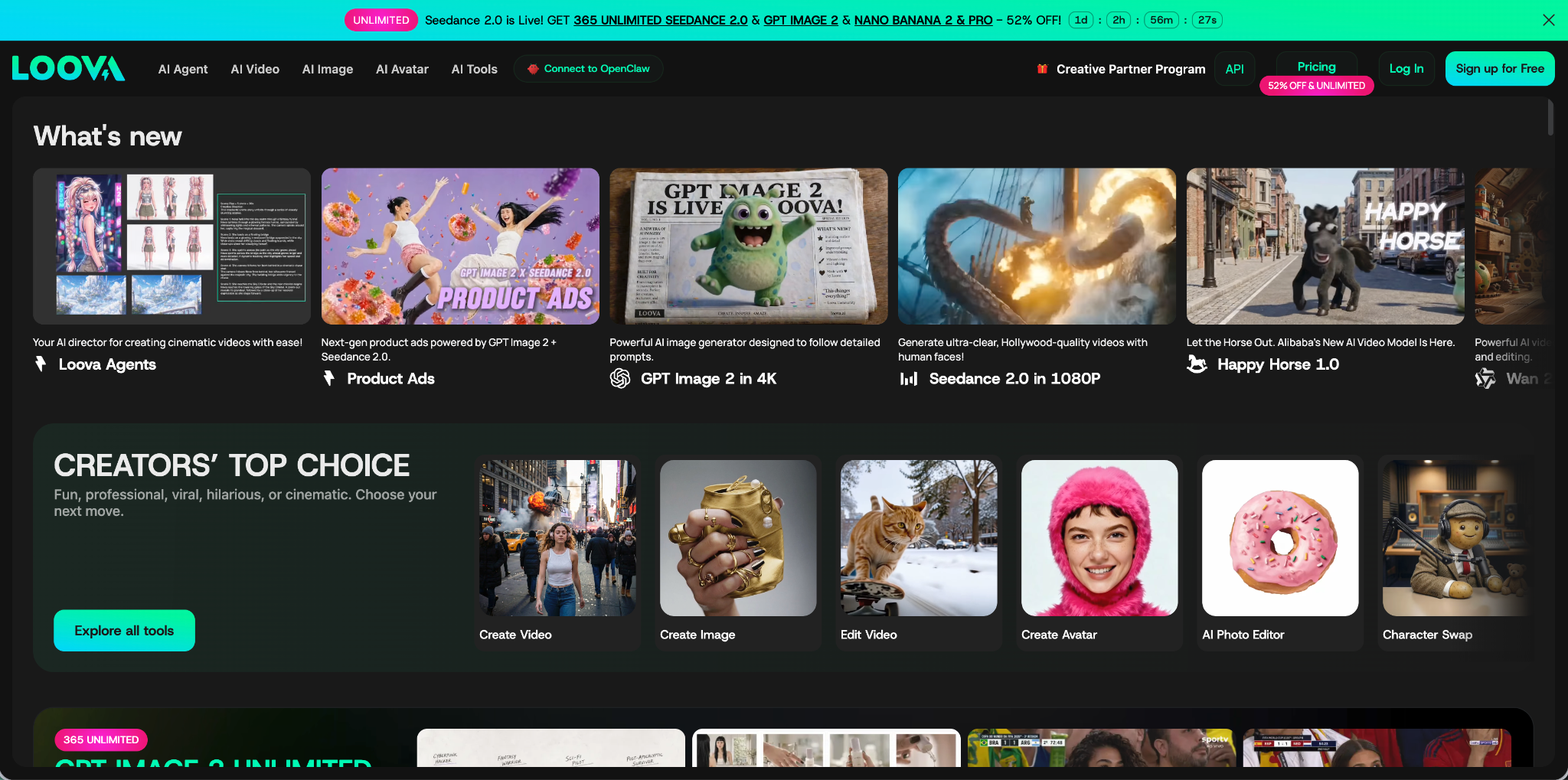
At this point in my workflow, I usually use Loova AI because it lets me move between generation, editing, and variation creation in one place. Instead of switching tools, everything happens in one system.
You can:
- Generate video from text prompts
- Turn images into video
- Use reference-based generation
- Edit and refine inside the same platform
- Create AI images for thumbnails, ads, and visuals
Loova also supports multiple AI models, including the most trendy Seedance 2.0 AI video generator, so you can test different outputs without leaving the platform.
Once I have this structure, I can also reuse it across platforms. A TikTok version might be fast and direct, while a YouTube Shorts version might include slightly more context.
How Designers and Visual Artists Can Scale Content Faster
For designers and visual artists, this workflow is even more powerful. Instead of talking head content, you can turn your portfolio into dynamic video content.
A single design project can become a walkthrough, a breakdown of decisions, a transformation sequence, and a visual showcase. Each version highlights a different part of your creative process.
You can also turn static images into motion-based content. This helps your work feel more alive and engaging without needing new production every time.
The key is consistency. Once you build a repeatable system, your portfolio becomes a content engine instead of a static gallery.
How E-Commerce and Advertising Teams Use AI Video Workflows
Even outside of creators, this workflow works well for product-focused content. A single product can generate multiple video variations for testing different angles.
One version might focus on features. Another might focus on lifestyle use. Another might focus on comparison with alternatives. This helps quickly identify what resonates with audiences.
Instead of producing one high-effort ad, teams can test multiple low-friction variations. That speeds up learning and reduces wasted effort.
Common Mistakes That Slow Down AI Video Creation
The biggest mistake I see is tool overload. People use one tool for scripts, another for visuals, and another for editing. That breaks the workflow into too many steps.
Another issue is restarting from scratch every time. If you don’t reuse structures, you end up repeating effort instead of building momentum.
Some creators also focus too much on output quality and not enough on volume testing. With AI workflows, speed and iteration matter more than perfect execution.
Finally, many people ignore platform differences. A video that works on one platform may need adjustment for another. Skipping this step reduces performance.
The Future of AI Video Creation Is Agent Driven
The direction everything is moving toward is simple. Instead of manually building each video, creators will define goals and let AI agents handle execution.
That means less time inside editing tools and more time shaping ideas and strategy. The system becomes more important than the individual output.
AI video agents will likely handle variations, formatting, and even scheduling in the future. Creators who build systems now will adapt more easily when that shift happens.
The main shift is not about replacing creativity. It is about removing friction so creativity can scale.
Final Thoughts
Creating a week of content in one hour sounds unrealistic until you change how you think about production. The key is moving from single videos to structured content systems.
Once you stop treating each video as a separate project, everything becomes faster. AI handles repetition while you focus on direction and ideas.
Tools like Loova make this workflow practical by combining generation, editing, and variation in one place, instead of forcing you to switch between multiple tools.
At the end of the day, the goal is simple. Spend less time producing and more time creating ideas worth sharing.
FAQ
Can AI really create a week of social media videos in one hour
Yes, but only if you use a structured workflow. The speed comes from batching ideas, generating variations, and reducing manual editing steps. AI handles execution while you focus on direction.
What types of social videos work best with AI
Short-form content like tips, opinions, product showcases, and storytelling formats work best. These formats can be easily broken into multiple variations from a single idea.
Do I still need video editing skills
Basic understanding helps, but advanced editing is no longer required for most social content. AI tools handle most of the assembly and formatting work.
Can I create content for multiple platforms at once
Yes. A single AI generated video can be adapted for TikTok, Instagram Reels, and YouTube Shorts with minor adjustments in format and pacing.
What is an AI video agent
An AI video agent is a system that can take a content idea and automatically generate structured outputs like scripts, visuals, and video variations without needing step-by-step manual control.
How many videos can I create from one idea
Typically, one strong idea can become five to ten videos depending on how many angles you break it into. AI makes this expansion process much faster.
What tools help automate social media video creation
Tools that combine scripting, generation, and editing in one system are the most efficient. Platforms like Loova help reduce tool switching and speed up batch content creation workflows.