The short answer, stated up front: a 7B to 14B open-weights coder model, quantized to 4 bits, covers autocomplete, boilerplate, test scaffolding and most single-file work on hardware you probably already own. Refactors that span a repository, very long contexts, and the largest frontier weights are where local hits a wall, and that work belongs behind a Qwen API or whichever hosted endpoint you prefer — browsing a full AI model API catalog makes the boundary between the two obvious in about ten minutes.
If you last tried a local model a couple of years ago, the trade-off has moved. Small coder models stopped being party tricks, consumer GPUs now ship with more memory than workstation cards did back then, and laptops with unified memory run model sizes that used to require a data-center booking. At the same time, agentic coding tools burn through tokens hard enough that every per-token line on an invoice deserves a second look. So the question is no longer “can I run a model locally?” but “which parts of my workflow should stay local, and which should I never have tried to squeeze onto a laptop?” That boundary is what this article draws.
What can a local LLM actually handle in a coding workflow?
Be honest about the tiers, because the gap between them is the whole decision.
Comfortably local, in my experience: inline autocomplete (the latency win is real — the round trip is to your own GPU, not across the internet, so suggestions arrive while your fingers are still moving), boilerplate and scaffolding, regex you don’t want to write by hand, docstrings, unit tests for a function that already exists, translating a snippet between languages, and explaining a file you’ve just opened.
Strains but sometimes works: refactors across two or three files, “write me a module that does X” from scratch, debugging with a stack trace plus the relevant function in context.
Don’t ask it: architecture decisions, migrations that touch dozens of files, anything where being confidently wrong is expensive. Small models fail quietly — they produce plausible code with the wrong assumptions baked in, and you find out at review time instead of generation time.
The mental model that has held up for me: the local model writes the function; the hosted model decides where the function goes and whether it should exist.
How much VRAM does a local coding model need?
The rule-of-thumb math is simple: 4-bit quantization stores roughly half a byte per parameter, so the weights cost you about half the parameter count in gigabytes.
• 7B-class: around 4 GB of weights; call it 6 GB of free VRAM once the KV cache and runtime are fed. Runs on an 8 GB laptop GPU.
• 14B-class: around 8 GB of weights; comfortable on a 12–16 GB card.
• 32B-class: around 18–20 GB of weights; this is 24 GB desktop-card territory, or a Mac whose unified memory starts at 32 GB.
Two caveats from painful experience. First, “it loaded” is not “it runs”: context is not free, and the KV cache grows with every token you stuff into the prompt, so the model that flies at 2k tokens of context crawls or crashes at 30k. Second, on Apple silicon the unified memory is shared with the operating system and everything else, so take the advertised number and subtract a healthy margin.
If the math says a model won’t fit, go down a size class before you reach for heavier quantization. A smaller model at Q4 with room to breathe beats a bigger model thrashing against the memory ceiling every time.
Which models are worth loading locally?
The open-weights ecosystem has settled into a handful of families with serious coder lines: Qwen’s coder series (the same family you can also call hosted — more on that below), DeepSeek’s coder models, Meta’s Llama variants, Mistral’s releases, Google’s Gemma, and Microsoft’s small Phi models, which are interesting precisely because they run on machines with no discrete GPU at all.
Rather than chasing leaderboards — which I would have to caveat into uselessness anyway — use this filter: keep a folder of ten real tasks from your own repositories (a bug fix, a test-writing chore, a snippet translation, a small feature) and run every candidate against them. Fifteen minutes of that tells you more than any benchmark chart, because it is your code, your style, your dependencies.
Two practical defaults: start at Q4 quantization, where the quality-per-gigabyte trade is best for coding work; and prefer the model that fits with headroom over the bigger one that barely fits. Context space you didn’t spend on weights is what lets you paste in the whole file instead of a fragment.
What still needs an API?
Four things, and being specific about them saves both money and frustration.
First, frontier-weight quality: the largest hosted models still handle “here are fourteen files, find the design flaw” better than anything you can fit on a desk. Second, long context: whole-repository prompts and giant log analysis need memory no laptop wants to spare. Third, freshness: framework versions released after a local model’s training cutoff are invisible to it, and hosted models turn over faster. Fourth, throughput: agent loops that fire hundreds of calls will pin your GPU for hours — the same GPU you were presumably planning to use for, you know, work.
And one boring one: availability. No GPU on the travel laptop means no local model, full stop.
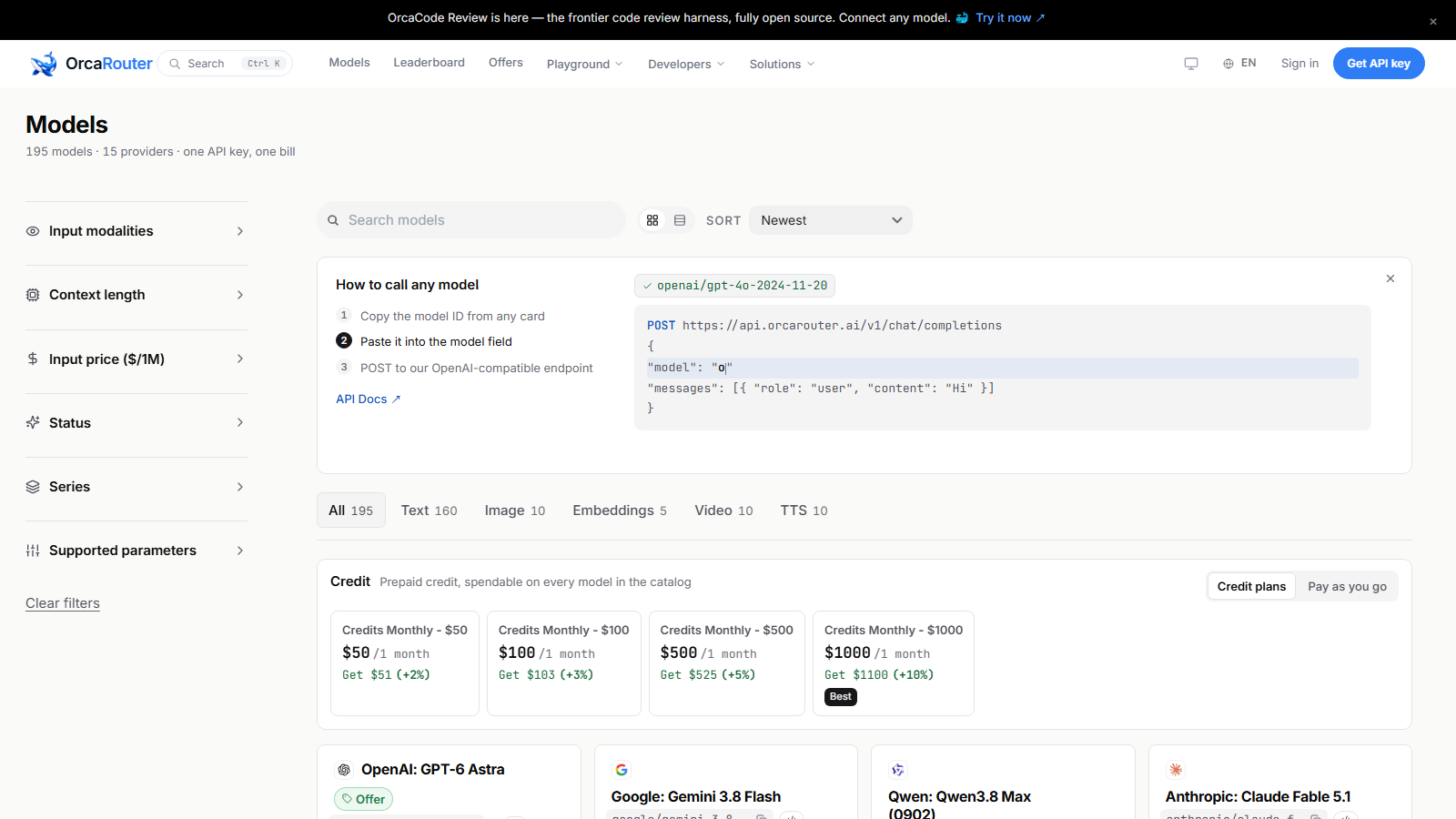
Once you cross that line, the question becomes which hosted model, at what context length, at what price — and that is a catalog question, not a vibes question. Those numbers are all published; the kind of side-by-side view below is worth ten minutes before you wire anything into your editor.
How do you run local and API models side by side?
The plumbing is easier than it sounds, because everything speaks the same protocol. A local runner such as Ollama or LM Studio serves your chosen model at a localhost endpoint in the OpenAI-compatible format; hosted providers accept the same format over the network. Most editor plugins and CLI coding tools let you configure two endpoints and choose per task.
The routing rule that works: default to local, escalate on a trigger, not on a hunch. Triggers worth writing down: the task spans more than a couple of files; the prompt needs more context than your VRAM headroom allows; the local model has failed the same task twice; or you are about to start an agent loop longer than a few minutes. Everything else stays on the machine — free, private, and indifferent to whether the Wi-Fi works on the train.
Keep the config in one file in your dotfiles so both endpoints move together, and note which model answered what. When a hosted model bails you out, you want to know which escalation trigger actually fired, because that is the trigger you will be paying for.
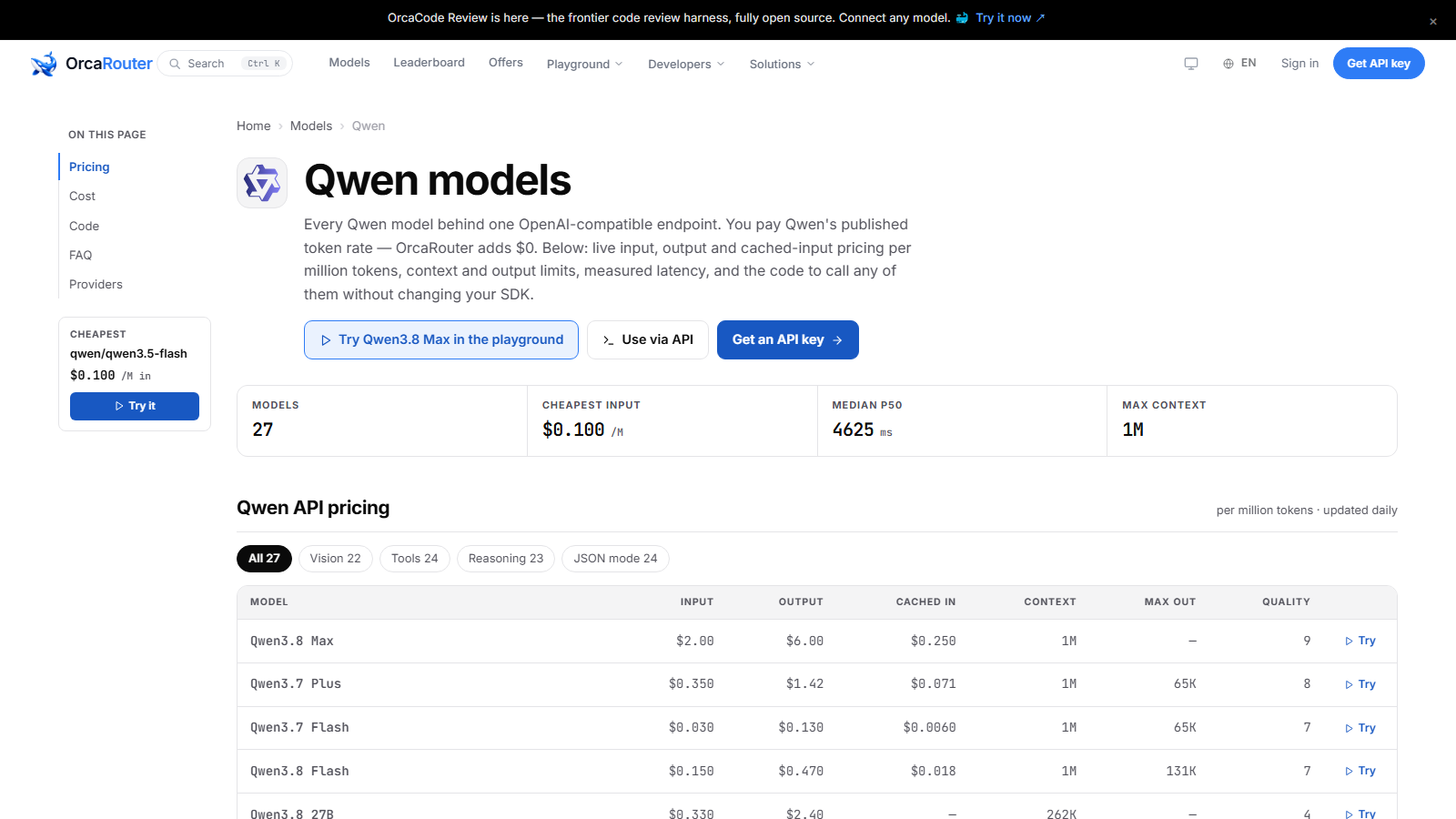
When the hosted side of that split is Qwen, the provider page is where you check which sizes are available and what each one costs before you commit your editor to it.
The takeaway
Buy the keystrokes, rent the decisions. A 14B-class coder model on hardware you already own is genuinely good enough for most of what your fingers do in a day — autocomplete, tests, boilerplate, single-file changes — and paying per token for that tier stopped making sense a while ago. The moment a task spans a repository, needs more context than your memory ceiling allows, or deserves frontier weights, send it to the API without guilt; that is not a failure of local, it is the correct division of labor. Set up both, route by trigger, and re-run your ten-task folder every few months — the models are changing faster than the hardware is.
Sourcing note: Hardware and memory figures above are rules of thumb derived from published model parameter counts and standard 4-bit quantization arithmetic, not measured benchmarks — expect variance across runtimes and verify on your own machine. Hosted model availability, context windows and pricing were checked against the linked catalog and Qwen provider pages on 2026-09-07. This article cites no third-party benchmarks or survey statistics; task-fit judgments are the author’s own experience.