Race weekend posts miss the session when the only approved frame is a still of the car. A producer can create ai video from that frame while the car is already in line, instead of sending a second camera back across the paddock for an angle the post does not need.
The still was hard to get. Light on the hauler, the door number readable, the contingency marks in the right places, the crew out of the crop. That file is the one the team already said yes to. A new angle means another walk, another wait, and a cut that may not be back before the session clock moves. The post then goes out late, or it goes out as a photograph that sits still in a feed of moving cars.
What The Hauler Photo Is Already For
The photograph is a record of the car as it will be seen, not a sketch to be redesigned. Sponsor blocks, the number, the splitter, the banner behind the hauler: those are the things a fan uses to know which team posted. Motion is useful when it makes that same car feel present. Motion is a failure when it repaints the livery to make the clip look busier.
The Door Number Has To Stay Put
Put the export beside the still and read the number first. If the font thickens, a digit flips, or the number drifts onto the skirt, the clip is wrong for the session. Fans and spotters read that number faster than they read a caption. A lively pan does not repair a number that no longer matches the car in the garage. Reject that pass and post the still.
A Vertical Crop For The Session Post
The place the clip has to fit is a vertical post, not a broadcast wide shot. The ratio control on the desk includes 9:16, which is the shape of that post. Set it before Generate so the car is framed for the phone, with the number still inside the crop. A 16:9 beauty shot can stay in the photo gallery. It is the wrong shape for the session update, and cropping it after the fact often cuts the number in half.
A Second Camera Against The Same Still
The second camera is the right tool when the story is new information: a damaged nose, a tire on the fence, a crew over the wall. That is a different picture from the one already approved. Walking someone back to the car spends the minutes the social post was supposed to use, and the new file still has to be cut.
The still is the right start when the story is the car you already have. A slow push, a short pan along the panel, a loop that can sit on the team page while the session runs. Those are moves of one photograph. They do not require a second person at the hauler, and they do not require the car to come off the line.
Upload The Approved Frame Before Generate
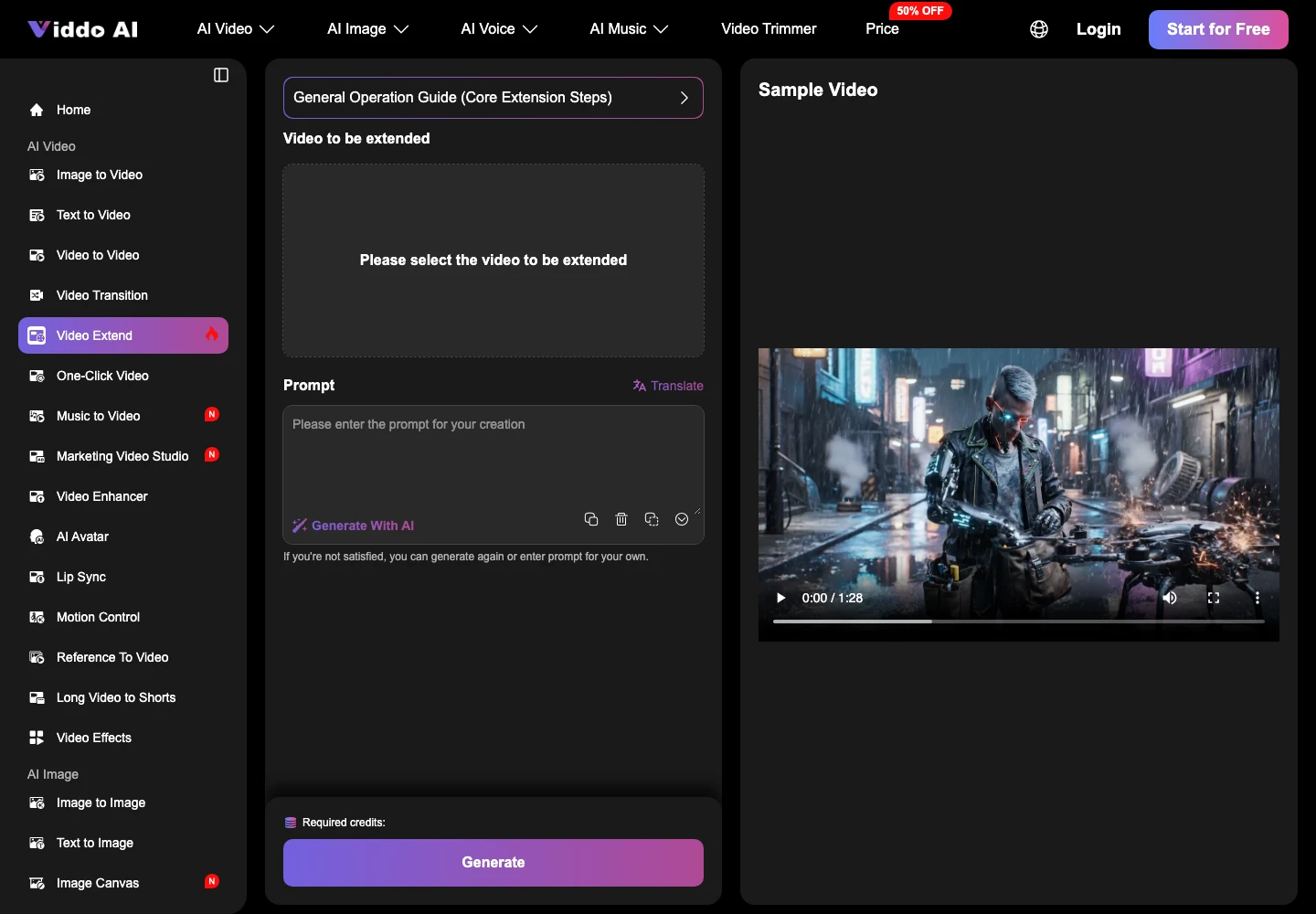
The image desk takes the file you already trust. JPG, PNG, and GIF are the formats the page names, so the hauler still does not have to be converted into a project before it can move. Upload that frame, choose the move, then Generate. A preview is often ready in under 120 seconds, which is the window between a posted notice and the next time the car rolls.
JPG And PNG On The Image Desk
Keep the file that was approved, not a recompressed cousin. A PNG from the photographer holds the number and the small marks. A JPG from a group chat is how a digit goes soft before the model ever sees it. If the number is already mush in the upload, the clip cannot invent the right digit. Start over from the photographer’s file, or do not generate.
A Preview Often Under Two Minutes
Under 120 seconds is the page’s own timing for this kind of pass, and it depends on how much motion you asked for. That is enough to look, reject, and run once more before a photographer could be back from the garage with a fresh angle. It is not enough if the prompt asks for a new car, a new background, or a crowd the hauler photo never contained. Ask for a move of this car. Then look at the number.
Viddo AI is the desk for that pass because the approved photograph is the input, and the preview comes back while the session is still the session. The producer stays at the laptop. The car stays in line.
How The Two Paths Compare On Time
The comparison is the clock and the source, not a claim that one path is always prettier.
| Path | Starts from | Time before a look | Publish if |
|---|---|---|---|
| Second camera | A person and a new angle | The walk, the wait, the cut | They return before the session moves |
| The approved still | The file already signed off | Often under 120 seconds | The number and marks still match |
Use the second row when the post is “this is our car, on track today.” Use the first row when the post is news the still does not contain. Mixing them, a newsworthy wreck told with a beauty loop, wastes the reader’s time and the crew’s.
What The Social Post Can Publish
A session post can publish the move that came from image to video once the number, the marks, and the crop survive the preview. Zoom or a short pan is the kind of effect the desk offers. A loop is the form that can stay up while the green flag is out, because a loop does not need a new file every lap.
Viddo AI does not replace the photographer who got the still. It keeps that still useful after the car has left the hauler. If the preview changes the livery, discard it. The photograph is already a true post. A wrong clip is not a faster one.
Write the prompt as a camera move, not as a new scene. “Slow push on this car, keep the door number, no extra text.” A prompt that asks for rain, a different track, or a packed grandstand is a request for a picture you do not have. That request belongs to a shoot, not to this file.
The Clip That Leaves With The Hauler
The post lands when the approved frame can move before the next run and the car in the clip is still the car in the garage. Viddo AI is the path for that frame. The second camera is the path when something new has happened and only a person on the spot can show it.
Pick before you walk. If the story is the car you already photographed, stay with the still and the short move. If the story is damage, a pit call, or a face the still never included, send someone. The session will not wait for a path you did not need.
The file that leaves with the hauler should be one a crew chief would still recognize. Number, marks, and the light you already approved. Anything else can wait for a real camera.