A race recap can have strong footage and still feel flat. The cars are fast, the passes are dramatic, and the finish matters, yet the edit does not carry the same energy. Music can turn a collection of clips into a sequence that feels intentional. For small motorsport creators, local teams, sim-racing channels, or event pages, producing custom music for every video may not be practical. Tools such as AI Song offer another option: describe a musical direction or provide lyrics, then generate a track around that brief. The goal is not the loudest soundtrack. It is music that matches the race story.
Edit the Story Before Choosing the Sound
Race footage naturally tempts editors to start with high-energy music. That works for some clips, but not every race tells the same story.
A comeback drive feels different from a dominant win. Wet qualifying feels different from a clean sprint. A garage video may need patience rather than constant intensity.
Before choosing music, write a one-line edit summary:
“Slow opening, tense middle after a pit issue, then a fast final-lap recovery.”
That sentence gives you a musical map. The opening may need restraint, the middle can add tension, and the final section can lift without starting at maximum energy.
It prevents choosing a powerful song first and forcing every clip to match it.
Three Race Video Formats Need Three Different Music Decisions
The same track rarely suits a race recap, social teaser, and technical breakdown equally well.
- The Full Race Recap
A recap needs room for changes in pace. You may show the start, incidents, pit stops, overtakes, and the finish. Music with some development can help connect those moments.
Do not judge the track only by its first ten seconds. Listen for whether it gives the editor somewhere to go. If the music is already at full intensity from the beginning, the final lap has nowhere to rise.
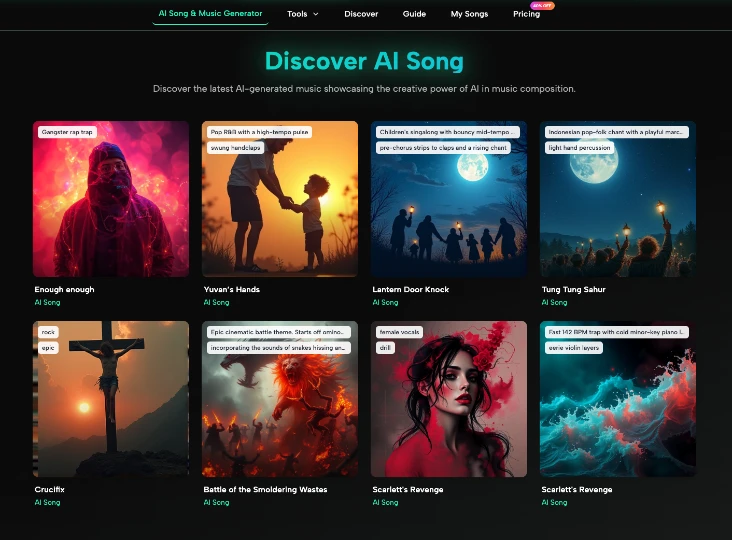
For a recap with voice-over, instrumental music is often easier to manage because the narrator remains the focus. AISong’s generator includes an instrumental option, which can be useful when you want the track to support spoken commentary rather than compete with it.
- The Short Social Highlight
A 20- or 30-second highlight has a different job. It needs a clear mood quickly.
Start with the strongest visual moment and build the music brief around it. A last-lap pass might call for a sharp, urgent electronic track. A slow-motion burnout could work better with heavy, confident rock. A driver celebration may need something brighter.
This AI Music Generator can help test several directions without changing the footage. Keep the same edit, swap the music, and notice how the meaning changes.
- The Garage or Technical Video
A setup explanation, tire discussion, or workshop video should not sound like the final lap of a championship race.
Here, the music should usually sit behind the information. Ask for a steady rhythm, restrained energy, and fewer dramatic changes. The viewer needs to hear the presenter, tools, engine sounds, or other details.
The best background track may be the one you barely notice.
Write a Music Brief From the Footage
You do not need to know music theory to describe what the edit requires. Use the language of the video.
A useful prompt can include:
- format: race recap, teaser, garage feature, driver profile;
- pace: slow build, steady, fast, or changing;
- mood: tense, confident, celebratory, gritty, reflective;
- sound direction: electronic, rock, cinematic, acoustic, or another clear style;
- restraint: instrumental, room for narration, no oversized climax too early.
For example:
“Create instrumental electronic rock for a two-minute club racing recap. Start controlled, build tension through the middle, then become more energetic for the final overtakes. Keep the rhythm clear for fast cuts and leave space for short commentary sections.”
That is much more useful than “make racing music.” It explains how the track should behave across the edit.
Let Engine Sound Keep Some of the Spotlight
Motorsport already has a soundtrack. Engines, gear changes, tire noise, radio messages, and crowd reactions carry information and emotion.
Do not bury all of it under music.
A strong technique is to let the soundtrack drop back around an important natural sound. The launch at the start, a downshift into a corner, or the crowd after a win can become more powerful when the music gives it space.
Try marking three “sound moments” on your timeline before placing the music. These are places where the real audio deserves attention.
Then choose or generate music that can support those gaps. A track with nonstop vocals, dense percussion, and constant peaks may make the edit harder to balance.
This matters in onboard footage, where hearing the car is part of the appeal.
Cut to Musical Structure Without Becoming Predictable
Editing on every beat can make a race video feel mechanical. Instead, use the rhythm as a guide.
Save some strong cuts for changes in musical sections. A new section can introduce a different camera angle, a new phase of the race, or a change in narrative tension.
You can also deliberately hold a shot across several beats. A long braking-zone shot or slow-motion replay may feel stronger if the edit resists the impulse to cut constantly.
Think in groups rather than individual beats:
| Video Moment | Music Approach |
| Grid and preparation | Controlled opening |
| Start and first laps | Clearer rhythm |
| Problem or caution | Reduced energy or tension |
| Recovery and overtakes | Stronger build |
| Finish and celebration | Release or payoff |
The table is not a formula. It is a way to make the music follow the race rather than forcing the race to follow the song.
Avoid Generic “Maximum Energy” Prompts
Motorsport content does not need to be loud every second to feel fast.
Prompts filled with words such as “epic,” “extreme,” “massive,” and “intense” often point toward the same result. Instead, describe contrast.
A track can start with a low electronic pulse and add heavier drums later. Rock can begin with a restrained riff before opening up.
Contrast makes the fast moments feel faster.
Also be careful with lyrics. Unless the video is a stylized promo, tribute, or team anthem, vocals may compete with commentary and engine sound. If lyrics are part of the concept, keep them tied to the video’s purpose rather than adding them because the generator can.
Test the Track on a Rough Cut
Do not wait until the color grade, titles, and graphics are finished. Put the music under a rough sequence early.
Watch once with headphones and once through ordinary speakers. Then ask:
- Can you still hear the important natural sounds?
- Does the energy rise in the right places?
- Does the music make a slow section feel longer?
- Does the finish feel earned, or was the track already too intense?
- Are commentary and radio clips still easy to understand?
If the answers are wrong, change the musical brief before rebuilding the entire edit.
Music and pacing are easier to fix while the timeline is still flexible.
Conclusion
The best music for a race video is not automatically the fastest or most aggressive track. It is the one that understands the shape of the story. Start by identifying what changes during the race, then choose a sound that leaves room for engines, commentary, and key moments. Use clear descriptions instead of generic “epic racing” prompts, and test multiple directions against the same footage. A good soundtrack should help the viewer feel the tension, release, and momentum already present in the race. For your next recap, build the rough edit first, mark the three most important sound moments, and let the music support them rather than cover them.