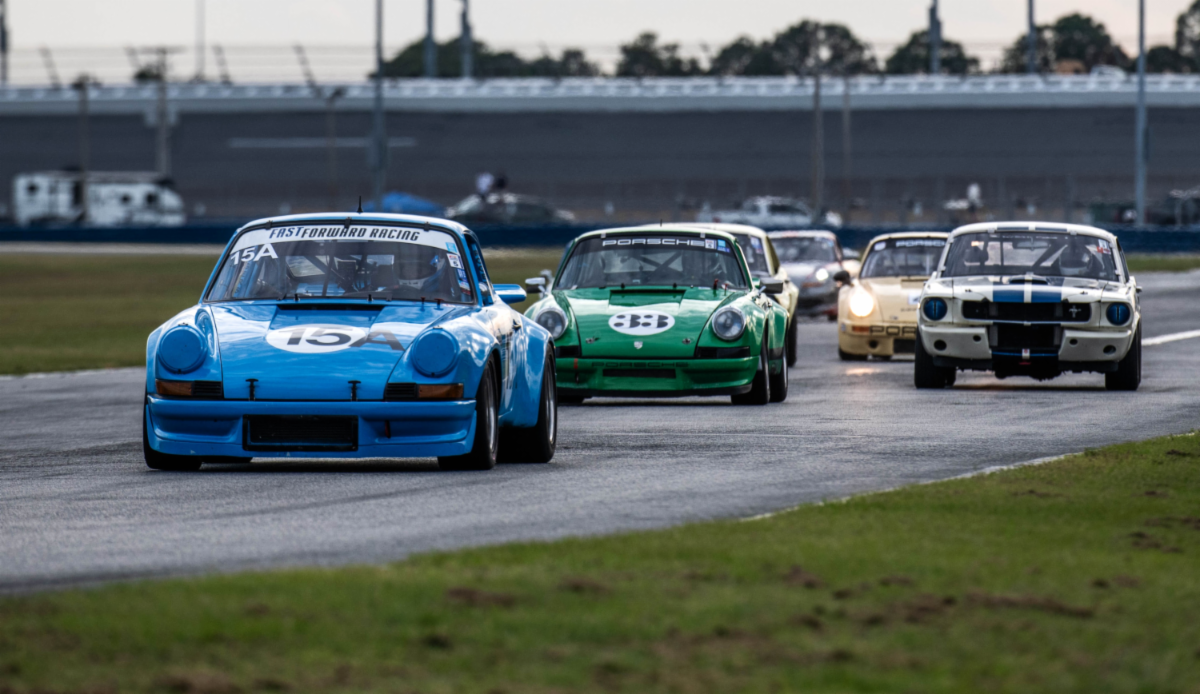
The checkered flag drops on a Sunday night sim-racing round or a weekend club track day, and the clock starts ticking immediately. League stewards and track-day coordinators usually have about sixty minutes to publish a post-race teaser or next-round schedule reveal before drivers log off and audience attention moves elsewhere. Waiting around for heavy local renders or timeline audio edits rarely fits into that tight window.
Instead of building every promo from scratch, automotive creators can produce fast drafts with minimax h3 max inside an independent browser workspace without configuring local GPUs or ComfyUI nodes. The platform is not affiliated with or endorsed by MiniMax, and it runs both the flagship model and its high-speed sibling in the cloud so teams can test angles and publish recaps while paddock talk is still active.
Testing Camera Sweeps and Audio Cues at 480P
Released on July 31, 2026, the open-weight MiniMax H3 (also known as Hailuo 3) is a 33-billion-parameter single-stream H3-Omni-Transformer paired with a Qwen3-VL-32B text encoder. It generates 24 fps clips alongside native 32 kHz stereo sound, producing engine notes, tire scrub, paddock ambiance, music, and spoken lines directly from the text prompt in one pass. Running that full four-component pipeline locally requires serious hardware—MiniMax’s vLLM server example uses four GPUs, and the MiniMax H3 Community License lists the US, EU, UK, and South Korea as excluded territories for the open weights.
For a race organizer working off a laptop after an event, the cloud-based H3 Max variant solves both the hardware bottleneck and the iteration cost. H3 Max generates 5-to-15-second clips in roughly one minute, and its 480P draft tier costs 6 credits per second—working out to $1.00 for a five-second test clip on the $9.99 Starter pack of 300 credits.
That low entry rate changes how you block out motorsport social teasers. You can write three different camera prompts—such as a low front-splitter tracking shot, a pit-wall pan, and an overhead chicane sweep—while testing how the native stereo audio handles high-revving downshifts or commentator voiceovers written directly in the prompt. Within minutes, you know which camera movement and exhaust cue hits hardest before paying for a full-resolution master.
Anchoring Motion With Track-Day Photos and Livery Renders
Pure text generation works well for generic b-roll, but league announcements and club recaps need recognizable cars. The browser workspace supports two visual workflows to keep automotive motion clips grounded:
- Image-to-Video with First and Last Frames: Upload a starting image—such as a studio render of a league livery or a pit-lane photo—and optionally attach a final frame, like a rear wing or trophy graphic, so the model plans the motion path between both frames. Input files are validated before charging to ensure each side measures 256 to 5760 pixels with an aspect ratio between 0.4 and 2.5, and uploads auto-delete after 30 days.
- Reference-to-Video for Style and Rhythm: When you do not want a photo used as the literal opening frame, attach up to 12 reference files total—up to 9 images, 3 video clips of 2 to 15 seconds (up to 15 seconds combined), and 3 audio files. Tagging @Image 1, @Video 1, or @Audio 1 in your prompt lets you match a race suit, borrow the camera rhythm of a real onboard clip, or lock in an announcer’s voice.
Choosing Between 1080P H3 Max and Native 2K Flagship H3
Once your 480P draft nails the camera sweep and sound timing, the workspace lets you switch resolutions or models while preserving your prompt and settings. Both models support aspect ratios from 21:9 down to 9:16, plus 768P output at 9 credits per second ($1.50 per five-second clip).
If speed is the priority for a vertical teaser, staying on H3 Max at 1080P costs 19 credits per second (3.16 per five-second clip) and includes your first two reference images free.
However, if your clip features close-up driver faces, intricate suit fabric, or small sponsor decals on a door panel, switching to the flagship H3 model is the smarter call. Flagship H3 takes a few minutes to render, supports 4-to-15-second durations, includes up to five reference images free, and delivers native 2K resolution via in-context regeneration (H3-Regenerate-2K) at 14 credits per second (2.33 per five-second clip).
Streamlining Your Post-Race Publishing Routine
Keep a folder of pre-cropped 9:16 and 16:9 livery renders ready before the green flag drops. Right after the podium ceremony, run two quick 480P drafts to lock your motion and stereo audio, flip the winning take to flagship 2K or 1080P, and download the watermark-free MP4. Because one-time credit packs require no subscription, never expire, and issue an automatic credit refund if a render fails, even a small weekend series can keep a balance ready for race night.