
At first glance, creating weapon skins for Counter-Strike 2 might seem like a task reserved for professional artists or experienced designers. In reality, the CS2 skin ecosystem is far more accessible. Thanks to modern tools, templates, and Valve’s workshop system, it’s entirely possible to create CS2 skins even if you don’t have traditional art skills.
Many community creators started with no design background at all. What they had instead was curiosity, patience, and a willingness to learn. This CS2 skin creation guide explains how beginners can approach skin design, which tools matter most, and how to make CS2 skins without design skills by working smart rather than trying to be perfect – while also understanding how finished designs enter the marketplace, where players buy and sell CS2 skins based on demand and visual appeal.
How CS2 Skins Actually Work
A CS2 skin is not a new weapon model. It’s a texture applied to an existing gun. This is an important distinction because it dramatically lowers the skill barrier. You are working in two dimensions, designing how a flat image wraps around a weapon’s surface.
Once applied, that texture reacts to lighting, wear levels, and in-game movement. Understanding this basic structure helps beginners avoid overthinking the process. You are not sculpting or animating – you are designing a surface.
Why Artistic Talent Isn’t Required
One of the biggest misconceptions about skin creation is that you need to draw detailed illustrations. In practice, many popular skins rely on clean geometry, simple color contrasts, or repeating patterns. Minimalist and tactical designs are often more successful than complex artwork.
If you can work with layers, shapes, and basic color balance, you already have enough skill to begin. This is why so many creators manage to make CS2 skins without design skills in the traditional sense. Creativity in CS2 is more about structure and consistency than drawing ability.
Using CS2 Skin Workshop Tools
Valve provides official Source 2 workshop tools that allow creators to preview skins directly on weapons. These tools show how your texture behaves in real time, including how it looks under different lighting conditions and wear levels.
To design the skin itself, you only need basic image-editing software. Free programs are more than sufficient. What matters most is access to CS2 skin templates, which show how each weapon’s surface is laid out in a flat format. Designing inside these templates ensures your work aligns properly in-game. Templates eliminate guesswork and are one of the biggest reasons beginners succeed.
Start Simple and Improve Over Time
New creators often fail by trying to do too much too early. Instead of aiming for a masterpiece, start with simple ideas. Limited color palettes, clean lines, gradients, or subtle textures are easier to control and usually look better in-game. Many iconic skins became popular precisely because they were readable, consistent, and timeless – qualities that influence which designs players choose to buy CS2 skins for long-term use. Complexity does not equal quality in CS2 skin design.
Learning From Existing Skins
Studying existing skins is one of the best ways to improve. Pay attention to how colors are distributed, how wear affects visibility, and how patterns repeat across the weapon. While copying is not allowed, learning from structure and technique is encouraged.
The CS2 community thrives on iteration. Most creators refine ideas across multiple submissions before achieving something truly polished.
Testing Wear Is Crucial
A skin that looks good in Factory New condition might fall apart visually when worn. That’s why testing wear levels is essential. Workshop tools allow you to preview every wear state so you can adjust contrast and texture placement accordingly. This step is often what separates amateur designs from professional-looking skins.
Submitting Your Skin
Once your skin is ready, you can submit it to the Steam Workshop with preview images and a description. Community engagement helps visibility, but Valve ultimately decides which skins make it into the game. Rejection is common, even for experienced creators. Treat each submission as part of the learning process rather than a final judgment.
Market Insight and LIS-SKINS
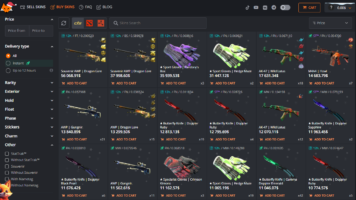
Understanding how skins perform after release can be just as valuable as creating them. This is where platforms like LIS-SKINS fit naturally into the ecosystem. LIS-SKINS provides a secure marketplace where players can buy CS2 skins, monitor prices, and observe which styles hold long-term value.
For aspiring creators, studying market trends offers insight into player preferences. Seeing which designs trade well helps align future creations with actual demand, not just personal taste.
Common Beginner Pitfalls
Many first-time creators struggle not because of lack of talent, but because they overcomplicate designs or ignore how textures behave in-game. Poor contrast, cluttered visuals, and misaligned patterns are common mistakes. Focusing on clarity and consistency solves most of these issues.
Can Skin Creation Become Profitable?
While some creators earn significant money, success is not guaranteed. Only a small percentage of skins are accepted. However, many creators enjoy the process as a creative outlet, learning experience, or portfolio project. Financial rewards come later – if at all. Skill development comes immediately.