Introduction
There’s nothing more frustrating than being in the middle of an important conversation and hearing, “Hello? You’re cutting out again.” A phone with a faulty microphone can make simple communication feel impossible. Every call becomes stressful, and no matter how loudly you speak, the other person barely hears you.
The truth is, when your microphone keeps cutting out during calls, your phone is trying to tell you something. The issue could be as small as a clogged mic hole or as serious as an internal hardware fault. In this guide, you’ll learn the real reasons your phone microphone fails, how to fix it safely, and when to stop DIY attempts and visit a professional for phone repair in Aurora, CO through The Phone Plug.
How a Phone Microphone Actually Works
Your smartphone has more than one microphone. Typically, there’s a primary mic at the bottom for calls, one near the top for noise cancellation, and others for video recording or voice assistants. These microphones work together to create clear, crisp sound while blocking background noise.
When something interrupts this chain — dirt, damage, or software issues — your voice starts cutting out, echoing, or disappearing mid-sentence. Understanding how this system works helps narrow down the cause before seeking repair.
Section 1: Physical Reasons Your Microphone May Cut Out
1.1 Dust or Lint Blocking the Mic
Over time, tiny particles of lint or dust can block your phone’s mic openings. Even a thin layer of fabric fibers can muffle your voice and cause your audio to fade during calls.
If you carry your phone in your pocket or bag, lint can easily collect inside the small grill near the charging port. A blocked mic hole prevents sound waves from reaching the microphone membrane properly, creating that “muffled or distant” effect.
Quick fix:
Remove your case and inspect the bottom edge. Use a soft, dry brush or gentle compressed air to clear the hole. Avoid pins or toothpicks — they can puncture the mesh.
If cleaning improves your call clarity but the issue returns within days, deeper internal cleaning might be needed. That’s where professional servicing becomes the smarter choice.
1.2 Misaligned or Poorly Fitted Cases
A common but overlooked problem comes from low-quality protective cases. Some cases don’t align perfectly with your phone’s mic port. When that happens, your voice echoes inside the case instead of traveling directly into the microphone.
Remove the case temporarily and make a test call. If your voice suddenly sounds clear, the case is the issue. Replacing it with a properly fitted one is an instant fix.
1.3 Physical or Water Damage
Drops, pressure, or exposure to moisture can damage delicate mic components. A single fall can loosen the internal solder joints, or even a small splash can corrode the microphone membrane.
If your phone’s microphone started failing after being dropped or wet, chances are the mic connector has been compromised. You might also notice that recordings sound distorted or that your voice disappears completely during long calls.
In these situations, internal repair or component replacement is usually required. Skilled technicians at The Phone Plug specialize in diagnosing and fixing such mic-related issues. If you’re dealing with these symptoms, it’s time to consider iPhone repair in Aurora, CO throughThe Phone Plug’s service center.
1.4 Loose Internal Connections
Inside every phone, ribbon cables connect the mic module to the logic board. With time or repeated shocks, these connections can loosen, causing the mic to work intermittently. You might experience moments where the mic cuts out completely, only to return seconds later.
Repair experts can resolder or replace these small components precisely. Attempting to fix them at home often causes more harm than good because of the microscopic scale of the parts involved.
Section 2: Software-Based Causes
Sometimes, the microphone itself is perfectly fine — it’s the software that’s causing trouble.
2.1 Microphone Permissions Turned Off
Modern phones let you control which apps can access your microphone. After an update, your calling or messaging app might lose that permission.
To fix it, open your settings, navigate to your privacy or permissions section, and ensure that the “Phone” app is allowed microphone access. Once restored, test a call again.
2.2 Bluetooth Confusion
If your phone recently connected to a wireless headset or car system, it may still be routing voice input to that disconnected device. This makes it seem like your mic isn’t working when, in reality, the phone is sending your audio elsewhere.
Turn off Bluetooth completely and retry a call. If your voice becomes clear, unpair unused accessories or reset Bluetooth settings.
2.3 Third-Party App Interference
Apps that record audio or manage noise can interfere with your main mic. Voice-recording apps, equalizer tools, or call-recorders sometimes keep the microphone “occupied,” preventing your phone from using it for normal calls.
Booting the phone into safe mode disables third-party apps temporarily. If your mic works perfectly in safe mode, one of your installed apps is likely the culprit. Uninstall or update them one by one to identify the issue.
2.4 System Updates and Glitches
Occasionally, operating system updates include changes to audio calibration or noise-reduction software that affect microphone performance. If your mic issue started right after an update, try resetting system or network settings. This refreshes configurations without deleting personal data.
Section 3: How to Test Your Microphone Before Visiting a Repair Shop
Before assuming the worst, perform a few simple tests to pinpoint the problem.
3.1 Test With Voice Recorder
Record a short message in your phone’s default voice recorder. Play it back.
- If your voice sounds clear, your microphone is functional, and the issue may be app-specific.
- If your voice sounds muffled or cuts off, the hardware or software path needs attention.
3.2 Call Test in Regular and Speaker Mode
Phones often use different microphones for standard calls and speakerphone.
- If the issue only happens in normal mode, the bottom mic might be damaged.
- If it happens only in speaker mode, the top noise-canceling mic could be at fault.
This simple test helps identify which microphone requires service.
3.3 Use a Headset to Compare
Plug in wired earphones or connect a trusted Bluetooth headset. If your voice is clear using the headset mic, your phone’s built-in microphone is indeed the issue.
Section 4: When DIY Isn’t Enough
If you’ve cleaned, tested, and reset everything yet callers still can’t hear you, it’s time to stop troubleshooting and turn to a professional.
Here’s when to bring your phone in for repair:
- The microphone stops working after a drop or liquid exposure.
- Your voice fades in and out despite resets and cleanings.
- You depend on your phone for business or daily communication.
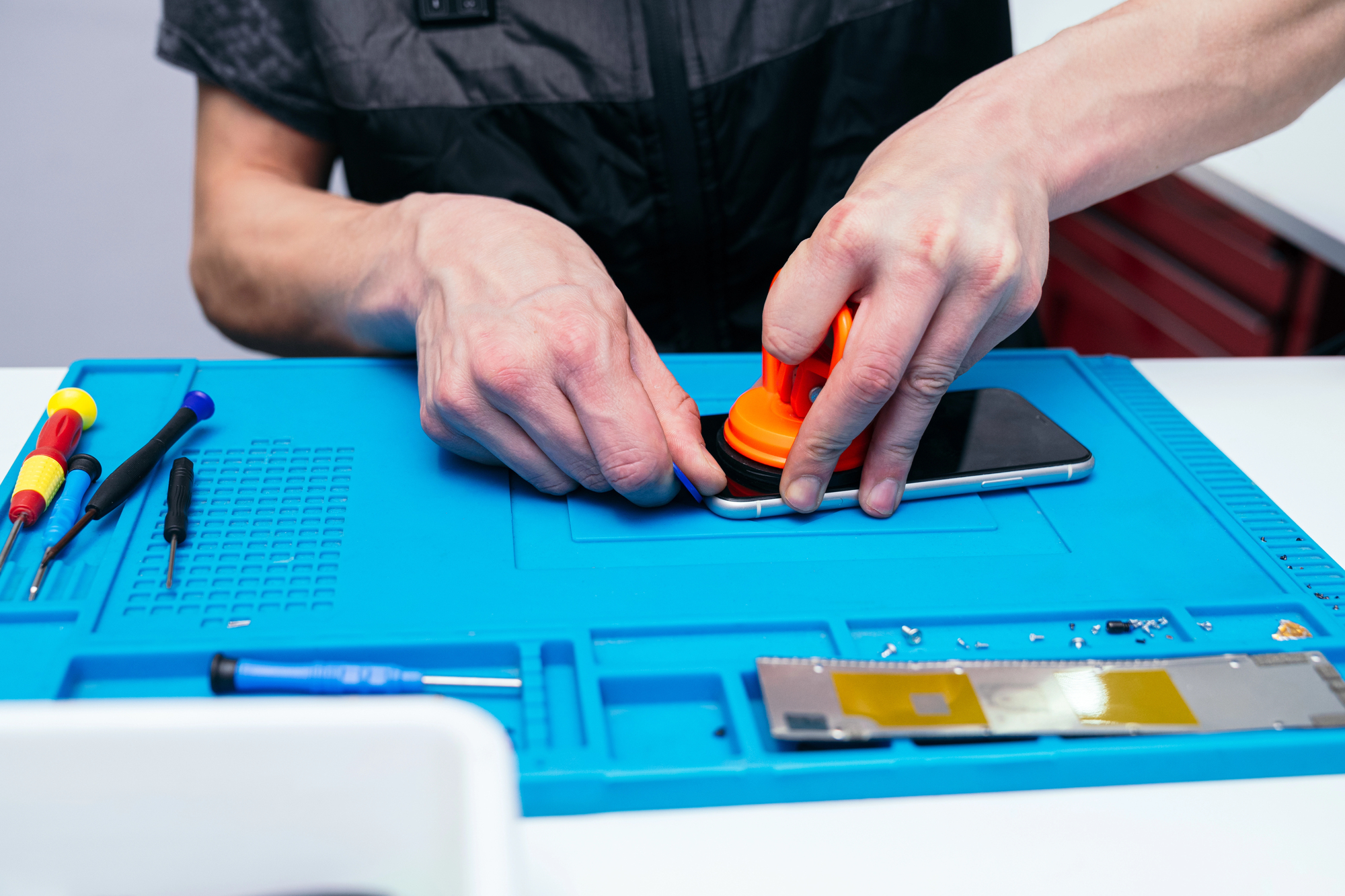
A certified technician can identify whether the problem is in the mic assembly, the audio IC chip, or the connecting flex cable. Professional repair ensures accuracy, prevents secondary damage, and often comes with a warranty for peace of mind.
Section 5: Inside a Professional Mic Repair
When you bring your phone to a service expert like The Phone Plug in Aurora, CO, here’s what the repair process usually looks like:
- Diagnosis: Specialized tools test whether the mic hardware is defective or if a software reflash will solve the issue.
- Cleaning: Technicians clean both external ports and internal connections using precision tools and ultrasonic equipment.
- Component Replacement: If necessary, they replace the mic module or audio flex cable with high-quality parts.
- Testing: After repair, they check mic performance across calls, recordings, and speaker modes.
- Final Quality Check: The device is reassembled and verified under real-world conditions before being returned.
Professional repair doesn’t just restore your mic — it ensures long-term reliability and consistent performance across all apps.
If you’re in Colorado, you can find the store conveniently located onGoogle Maps here.
Section 6: Why Professional Repair Saves You More Than It Costs
It’s tempting to ignore a minor audio glitch, but leaving it unfixed can lead to deeper damage. Here’s why acting early saves money:
- Prevents Board Damage: A faulty mic can short circuits over time, damaging the logic board.
- Avoids Worsening Corrosion: Even small amounts of trapped moisture can spread.
- Protects Your Warranty: Professional repairs maintain documentation for future service claims.
- Saves Business Calls: Missed or muffled calls can affect work credibility more than a one-time repair cost.
Getting your phone inspected by experts is an investment in reliability — not an expense.
Section 7: Preventing Future Mic Issues
After your phone’s microphone is fixed, you can keep it performing well by following a few smart habits:
- Keep Ports Clean: Gently brush the mic holes once a month.
- Avoid Humid Environments: Steam or condensation can damage sensitive mic components.
- Use Quality Cases: Always choose cases with precise mic cutouts.
- Update Software Regularly: Patches often contain audio improvements.
- Store Smart: Avoid keeping your phone in pockets with dust, tissues, or coins.
Preventive care takes seconds but saves you costly repairs down the road.
Section 8: Final Thoughts
A phone that keeps cutting out during calls isn’t just annoying — it’s a real disruption to your daily life. The cause could be as simple as a dust blockage or as complex as a damaged mic circuit. By identifying symptoms early, you can decide whether cleaning, settings adjustments, or professional help is the right move.
If your phone microphone still acts up after troubleshooting, trust a reliable local team for a quick, lasting fix. The Phone Plug in Aurora, CO, provides same-day smartphone repair services, ensuring your device sounds and performs like new again.
Don’t wait for the next dropped conversation — visit your trusted experts today and restore crystal-clear communication.
Disclaimer
This article is for informational purposes only and should not replace an in-person technician assessment. Always consult a certified repair expert before attempting any hardware fixes on your own device.