
Vehicle Communication Interfaces are a fantastic way to get insight into your vehicle’s well-being without visiting a mechanic. The VdiagTool Vehicle Communication Interface D200 (D200) aims to make that possible as efficiently as possible from your smartphone (Android or iPhone). The D200 syncs with your device via the VdiagTool app over Bluetooth to immediately provide diagnostics for your car and notify you of any concerns.
If you are serious about DIY and need more than a basic OBD-II scanner or work in a professional shop, Vdiagtool’s D200 might be the perfect thing for you. Here are our thoughts on the VdiagTool’s D200:
Specifications and Design
The VCI comes in a compact box that has all the following items:
- D200 VCI
- User Manual
- Quality Certification
- USB Type-C to Type-C cable
- USB Type-C to USB 2.0 adapter
- High-quality storage case
D200 VCI
Right out of the box, the D200 feels like a professional tool. The housing is made of durable plastic with rounded edges to protect it from daily shop use. There are LEDs and buttons that indicate power, connectivity, and operating status.
User Manual
The manual is small and fits inside the carrying case. It shows how to connect to the app and provides a quick overview of the D200’s functions. The manual is made of paper, so it can easily be damaged. Ensure it is stored in a safe location (such as the storage case) for later reference if necessary.
Quality Certification
A stamped, durable card provides a way to contact the company if the sensor malfunctions.
Type-C Cable & Adaptor
A well-made USB-C to USB-C cable is included for connectivity and charging, along with a USB-C to USB-A adapter for older ports.
Storage Case
A rigid case made of plastic and synthetic fabric. Inside, there is a padded foam slot to store the D200.
App & Connectivity
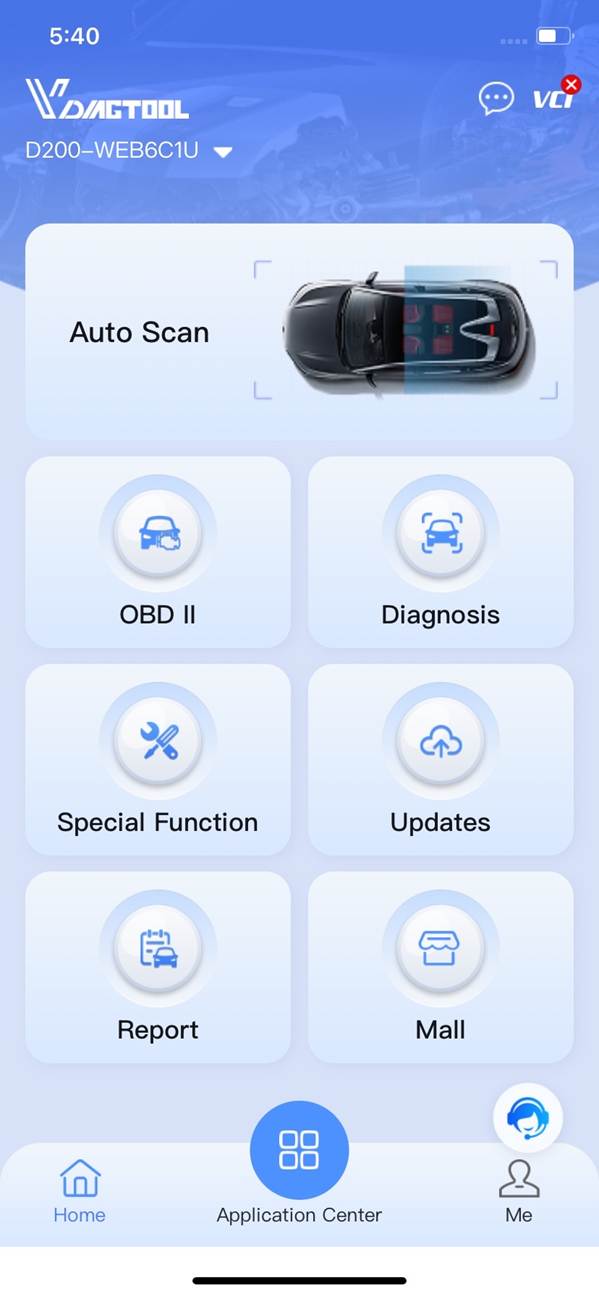
To use the D200, you will need a Bluetooth-enabled smart device, a car, and an internet connection. Pairing it was straightforward:
- Download and install the VdiagTool app from the App Store and Google Play.
- Launch the app and create an account (an internet connection is required).
- Plug the D200 into the OBD-II port of the chosen vehicle.
- Connect your device to the D200 via Bluetooth.
- Pair the D200 with the account, and it’s ready to go.
Any updates to vehicle support and firmware are delivered via the app, which requires an internet connection.
Overall, the app itself was straightforward to use. The interface uses clear icons and categorized menus, making it easy to jump between diagnostics, live data, and service functions, making it ideal for beginners. For professionals, the app lets you adjust settings to get into the nitty-gritty of specific tools if your use case is beyond traditional diagnostics.
How Did the D200 Perform?
As far as we’re aware, there isn’t much the D200 can’t do. It has access to a wide range of features and functions:
- Complete System Diagnostics (ECM, TCM, BCM, ABS, SRS, and more)
- DTC Reading and clearing with freeze-frame data
- Service Functions (TPMS reset, EPB release, throttle relearn, and more)
- Live data capturing and logging
- VIN auto-detection & vehicle profile creation
Overall, we’re delighted with what the D200 can do. Also, the D200 comes with lifetime support, likely making this our go-to for a very, very long time. Regarding build quality, the D200 is exceptionally robust, and nothing about it rings any alarm bells.
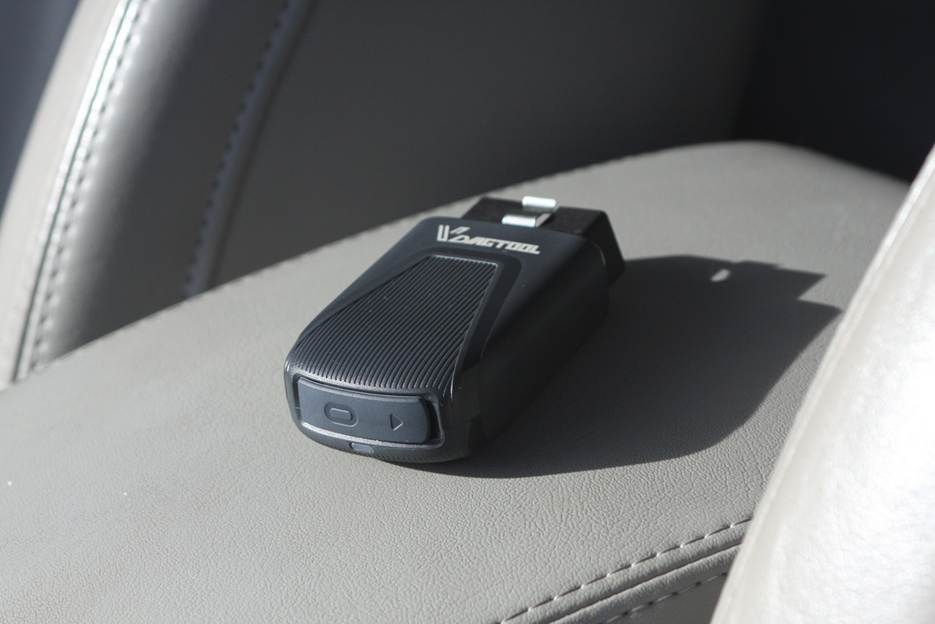
We found that the D200 works well for both modern and older cars (we tested 2007 and 2021) and can reliably and quickly interface with them. In our testing, we notably found this process to be rapid, making it easily adaptable for large-scale use.
The D200 connected immediately to a 2021 Toyota Rav4. After downloading the information package onto the app, it found the VIN and did a full diagnostic scan in ~5 minutes, which was surprising. The other car was a 2007 Nissan Maxima, with which we had some issues connecting. It couldn’t automatically find the VIN, so we had to connect to it manually after installing the Nissan package in the app. Once we installed the package, the D200 was able to fully diagnose the vehicle, albeit the scanning process was about twice as long.
If you frequently work on vehicles, the D200 will be more than sufficient for any of your OBD and Diagnostic needs. If we were to reach any negative conclusion, the D200 might offer more than the typical DIY user needs.
Verdict
VdiagTool’s D200 stands out as a professional-grade VCI that’s at home in commercial shops or for advanced DIY maintenance. If you have a car that needs diagnostics and you need it quickly and efficiently, the D200 is an excellent addition to your toolkit. The D200 comes backed with a 2-year warranty and round-the-clock support.